Friday, September 16, 2022


Friday, March 20, 2009
DIY Puzzle has been published in Apple App Store.
App Store Link: http://tinyurl.com/chhuug
DIY Puzzle allows you to create your own unique puzzles using the photos stored on your iPhone. Family photos, travel scenes, pictures of your dog or mother-in-law: the possibilities are endless!
You can select the difficulty of the puzzle based on the number of pieces-- 4x4, 5x5, 8x8--as well as the color of the lines. The title page will change according to the puzzles you create.
Great puzzle for keeping kids entertained on long car rides--simply select a favorite photo and difficulty level appropriate for your child's age. No more "Are we there yet?" problems!!
Therapeutic for adults, too. Have a fight with the boss? Now you can literally "rearrange his face!"
Want to impress your girlfriend? Create a puzzle with her image, and show her how quickly you can assemble it! See...you have been paying attention!
----------------------------------------------
written by Mary Ellen Zigli
----------------------------------------------
Snapshot
Figure 1. The icon of this app is placed on bottom right. The design concept of this game is simple (exactly, no design) for user to think that they can build this game by themselves.

Figure 2. As you see, the main page of this app is decorated with users' puzzle image.
The transparent images under the main page are automatically changed whenever users make or delete new or existing puzzles.
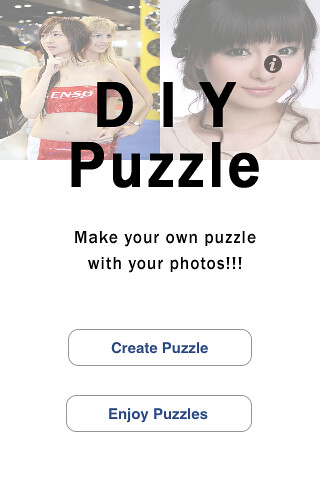
Figure 3, 4, 5. The following screen is where users can make puzzles.
In the current initial version, users can set name, where to select images, image, mode (rectangle), line color.

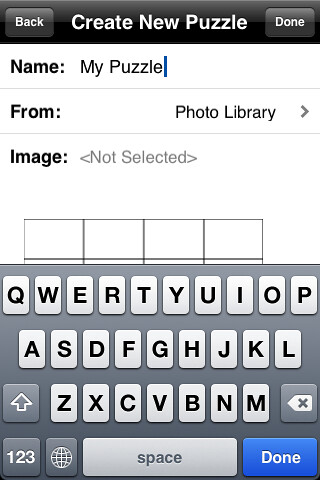
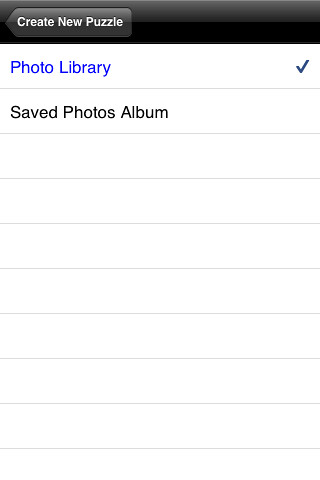
Figure 6. User can select any photos in their album as below,
(In the next version, user can use taking photo)
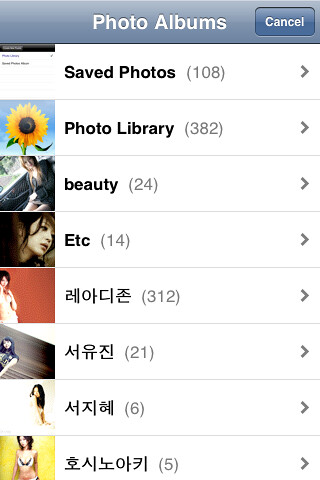
Figure 7. A new picture puzzle is almost done with users' settings.

Figure 8. All made picture puzzles are managed as below, (they can be removed, re-ordered).
(In the next version, users can modify existing puzzles.)
By tapping one cell users can play the selected puzzle game.
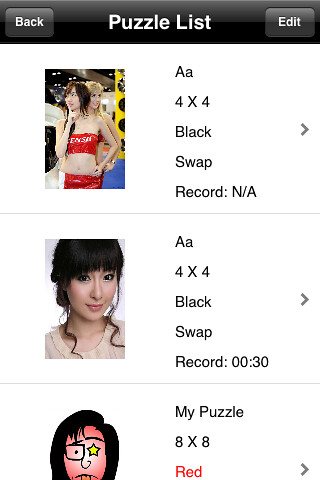
Figure 9. The following screen shows shuffled puzzle image to play.

Figure 10. While playing, users can see menu to re-shuffle, to return to main title, to show the original image by double tapping.
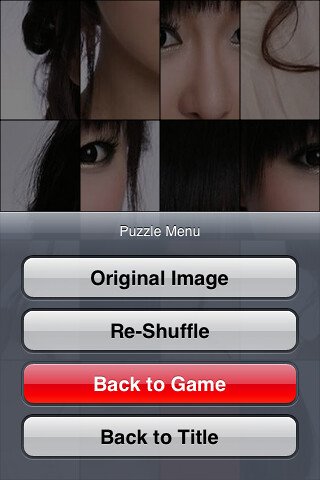
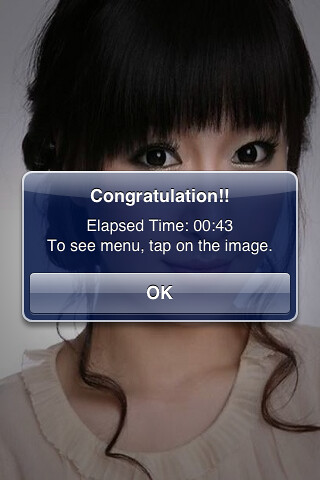
Figure 11. When users finish a game, they can see time record and see main menu again by tapping on the original image.
Monday, March 9, 2009
DIY Puzzle
DIYPuzzle lets you make your own picture puzzle game which is only one in the world.
With any photos in your album of iPod/iPhone you can build variety picture puzzle.
Lovers, babies, friends, scenery, personage, sexy starts and so on.
You can select photos as well as set various settings (4X4, 5X5, 8X8, blue line, red line, and so on).
Moreover, the main page is automatically built by your puzzle images.
Snapshot
Figure 1. The icon of this app is placed on bottom right. The design concept of this game is simple (exactly, no design) for user to think that they can build this game by themselves.
Figure 2. As you see, the main page of this app is decorated with users' puzzle image.
The transparent images under the main page are automatically changed whenever users make or delete new or existing puzzles.
Figure 3, 4, 5. The following screen is where users can make puzzles.
In the current initial version, users can set name, where to select images, image, mode (rectangle), line color.
Figure 6. User can select any photos in their album as below,
(In the next version, user can use taking photo)
Figure 7. A new picture puzzle is almost done with users' settings.
Figure 8. All made picture puzzles are managed as below, (they can be removed, re-ordered).
(In the next version, users can modify existing puzzles.)
By tapping one cell users can play the selected puzzle game.
Figure 9. The following screen shows shuffled puzzle image to play.
Figure 10. While playing, users can see menu to re-shuffle, to return to main title, to show the original image by double tapping.
Figure 11. When users finish a game, they can see time record and see main menu again by tapping on the original image.
Wednesday, February 11, 2009
Love Gauge (Valentine Edition)
Love Gauge
*** Introductory Price: $0.99 ***
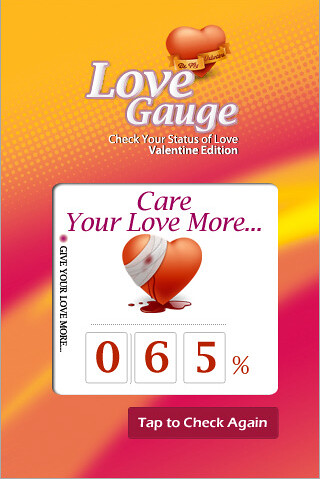
How much do you love your sweetheart?
Do you want to know the status of love between you and your love?
Answer is here, LoveGauge!!!
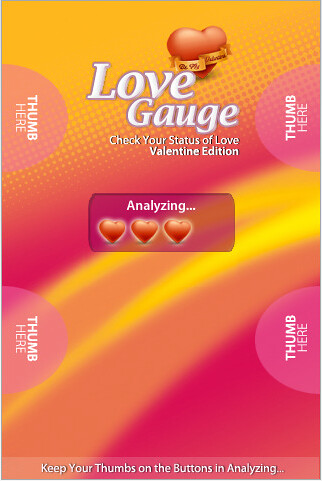
Just 5 seconds and tapping your thumbs will prove your love and more...
Love Gauge is to calculate your manners on your lover and to analyze four factors to give you the reasonable report.
The love of Valentine awaits...
Are you prepared?

Subscribe to:
Posts (Atom)